
Visitor Communication System for Secure and Smart Visitor Interaction
Communicating efficiently with all visitors is an important aspect of an organization that has moved to a digital first approach. The Visitor Communication System allows for real-time, secure communication between a visitor and host and improves the level of security, while also improving efficiency during these interactions.
The use of the Splan Virtual Assistant with Video Intercom for Visitor Management added to existing kiosk workflows provides a means for this type of instant, secure communication without having to utilize third-party tools.
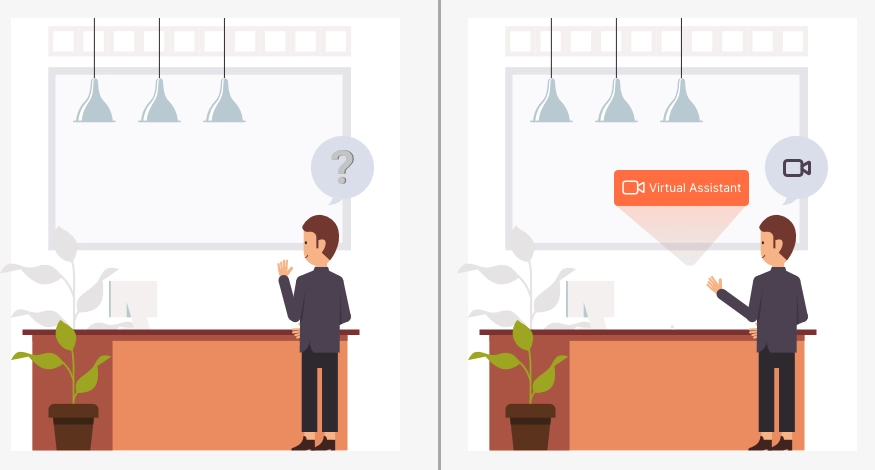
What is a Visitor Communication System?
A visitor communication system is a communications platform to allow guests to communicate with host/administrator during check-in via audio and video.
Organizations can confirm visitor identity to grant access by utilizing the two-way visitor communication feature, remote visitor verification, and video-based access control, leading to secure visitor communication, improved response time, and improved visitor experience.
Key Features
Photo-ID-based Visitor Verification for Next Level Visitor Management via Kiosk
Live Communication with Visitors in Real-Time
Email-Based Initiation of Sessions with Secure Links
Real-Time Notifications of Visitors to Hosts
Remote Verification of Visitors through Browser-Based Video
In-House Engine for Video (No Third-Party Dependency)
Automatic Handling of Kiosk Timeout Events for Availability
Centralized Security Communication Integrated
Configurable Hosting Assignment and Workflow
Seamless Integration with Visitor Check-In System
Benefits
1) Improved Security
Visitors are visually verified prior to entry using Video-Based Access Control Systems.
2) Faster Response Time
Visitor Communication Systems allow for a direct and instantaneous connection to the appropriate individual.
3) Decreased Reliance on Front Desk Operations
A facility can function effectively and efficiently without the need for a dedicated receptionist.
4) Enhanced Visitor Experience
Smart Visitor Interaction Systems (SignInEasy App) allow for prompt and streamline communications.
5) Centralized Management
All communication takes place on a secure, integrated platform, under one central management system.
How It Works
1. Initiating Visitor-Hosted Communication
The visitor selects the Virtual Assistant (as one of the communication options) on Kiosk.
2. Identifying Host
The system will identify (from its configurations) with the correct host.
3. Sending Notification
The host will receive an email with the real-time notification of the visitor.
4. Starting Video Communication
The host clicks on the secure link and initiates two-way video communication with the visitor.
5. Verifying Visitor
The visitor will be verified by the use of a Video Intercom as part of Visitor Management.
6. Completing Session
If the visitor does not answer the video call, the system will automatically terminate and reset the Kiosk.
Use Cases
1. Corporate Office
Visitors can be verified without the need for staff to take manual action.
2. IT Parks and multi-tenant Buildings
A unified communication security solution across multiple facilities.
3. Healthcare Facilities
Provide a secure means of communicating with visitors.
4. Warehouses and Logistics Facilities
Verify delivery personnel via remote access.
5. Unstaffed Reception Areas
Provide Smart Visitor Interaction Systems at kiosks.
FAQs
The VCS allows for live communications between visitors and hosts at the time of entry into the building.
Video intercoms grant visual verification before granting access, which enhances security.
Yes, communication between the visitor and host is secure using encrypted and time-limited sessions.
Yes, the Visitor Communication System has the capability of functioning remotely supporting unmanned reception areas using Remote Visitor Verification (RVV).
No, the host does not need to purchase or download any new software; they can log into the Visitor Communication System using a standard browser.